Skip to content
Innovation POD · GenAI

GenAI POD: copilots, knowledge bases and agents in production

A principal-led team of 4–6 that ships one production copilot, knowledge base or agent workflow on your data, inside your environment. Evaluation, guardrails and governance are built in from the start, on our agentic harness, so the weeks go to your use case.

Who it is for

For teams that need AI in production, not another demo

The owner of one job

Claims triage, IT support, underwriting preparation, RFP answers: one team with a named outcome that wants a copilot or agent their people will use.

A platform or AI centre of excellence

One governed place to build and run agents: a register, model allow-lists, spend limits, an audit log and data security on every prompt.

A pilot that stalled

It answers twenty questions well, nobody can prove it is good enough, and security will not sign it off.

Signs it is time

  • The pilot cannot pass a security review
  • There is no evaluation set
  • Answers ignore document permissions
  • Prompts are strings scattered through code
  • Nobody knows the cost per answer
  • Agents exist that have no owner
Outcomes

What is true at the end of the POD

  1. One use case live with real users

    A first cohort using the copilot or agent in production, measured against the metric agreed in week 1.

  2. An evaluation harness in your CI

    Built before the system, run on every change; a regression blocks the release.

  3. Guardrails that can be switched on

    PII redaction, prompt-injection checks on retrieved text and tool output, and grounding checks, started in observe mode.

  4. Answers that respect permissions

    Retrieval that enforces source permissions on every result, with every answer cited to its documents.

  5. Agents under governance

    Every agent registered with an owner, allowed models, spend limits and an audit log of each run.

  6. A team that runs it

    Runbooks, traces and the evaluation suite handed over; an optional run-the-system tier if you want us on call.

Week by week

What the team delivers, week by week

Week 1

Discovery

What the POD does
  • Agree the outcome, the success metric and the users
  • Map the data and systems in scope and who may see what
  • Choose models from the providers you have approved
What you have at the end
  • Outcome statement and evaluation criteria
  • Data and permission map
  • A fixed proposal naming the POD team
Weeks 2–4

Foundation

What the POD does
  • Deploy the harness in your cloud, behind your SSO
  • Connect the production read path to the data, permissions intact
  • Build the evaluation set and harness before the first prompt
What you have at the end
  • A thin end-to-end system in dev
  • The first evaluation report
  • A backlog ranked by impact on the metric
Weeks 5–10

Build & iterate

What the POD does
  • Build skills, tools and prompts; demo every week
  • Add guardrails, tracing and audit from the first sprint
  • Spend the last sprints hardening, not adding features
What you have at the end
  • Weekly evaluation results
  • Guardrail and trace dashboards
  • Security review evidence
Weeks 11–12

Production & handover

What the POD does
  • Go live with a first cohort of users
  • Wire the evaluation suite into your CI
  • Knowledge transfer to platform, data and business teams
What you have at the end
  • Runbooks and alert thresholds
  • The evaluation suite with documented thresholds
  • Handover sessions; optional run tier

Every week: a demo of working software against the outcome metric. Every two weeks: a steering review. No status decks.

Reference architecture

Agents on a governed harness, inside your cloud

The shape of a GenAI POD's system: your data and systems on the left, people on the right, and the harness and controls in between.

Your data & systems

Documents & emailSharePoint, Outlook, file shares
Tickets & wikisServiceNow, Jira, Confluence
Databases & warehouseRead through governed queries
Business systemsAPIs the agents call

Agentic harness · InsightWorker

Knowledge baseInsightAsk: permission-aware, cited
Tools & skillsAPIs, SQL, MCP
Agents & copilotsRun from chat, schedules, events, the CLI or VS Code
Model gatewayAllow-lists and spend limits
EvaluationLabelled cases, replay, CI gate

People

Business usersApps published in InsightStudio
Chat & desktopBrowser, VS Code, desktop app
ReviewersApprove what agents prepare
Owners & auditorsTraces and audit log
Security & governance
  • InsightAIShield policy on every prompt and query
  • PII redaction
  • Prompt-injection checks
  • Grounding checks
  • Tracing and cost
  • SSO, RBAC and audit
Reference architecture for a GenAI POD: agents and copilots run on the InsightWorker harness in your cloud, retrieve through a permission-aware knowledge base, call tools and models through a governed gateway, and are evaluated continuously; people use them through InsightStudio apps and approve what they prepare.

Evaluation before the system

The harness is built in the foundation phase so there is something to measure against. The POD playbook.

Permissions travel with the data

Retrieval enforces the source system's permissions on every answer. Knowledge bases.

Agents prepare, people decide

Agents work inside authority limits and every action is logged. L1 resolution.

Typical use cases

What GenAI PODs are asked to build

Enterprise knowledge base

One place to ask across documents, tickets and wikis, with cited answers. Read more.

L1 support and incident resolution

Agents that gather evidence and run the runbook. Read more.

Insurance document work

Submissions, claims and treaties read and prepared for a person to decide. Insurance POD.

Fraud investigation

From flagged transaction to case file. Worked example.

Agents on live data

Real-time context from streams through MCP. Read more.

AI governance

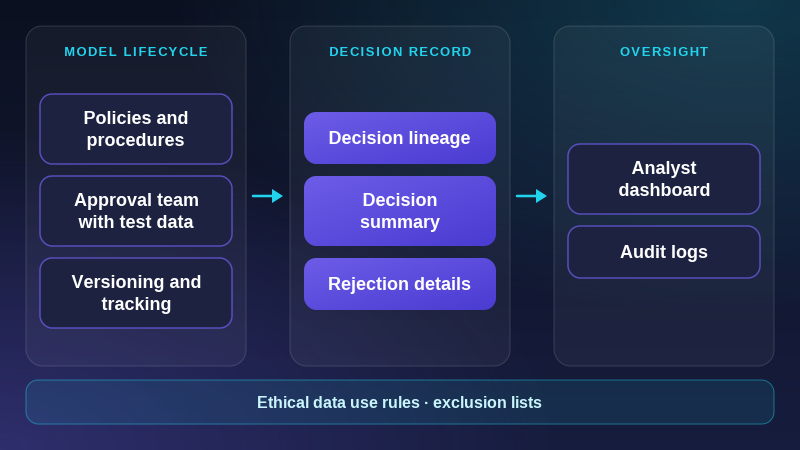
Traceable AI decisions with model versions and audit. Case study.

What the POD brings

Products the GenAI POD starts from

Our own InsightLake products, deployed in your cloud and behind your SSO where they shorten the path. Custom code is yours either way.

Agentic harness

InsightWorker

Build any agent, run it on the model you choose inside your own cloud, and put policy on every model call.

  • Model back ends including AWS Bedrock, Azure OpenAI, Vertex AI and OpenAI-compatible endpoints
  • Runs from chat, schedules, the CLI, a browser, VS Code or a desktop app
  • Register, model allow-lists, spend limits and an audit log in the console
Business app studio

InsightStudio

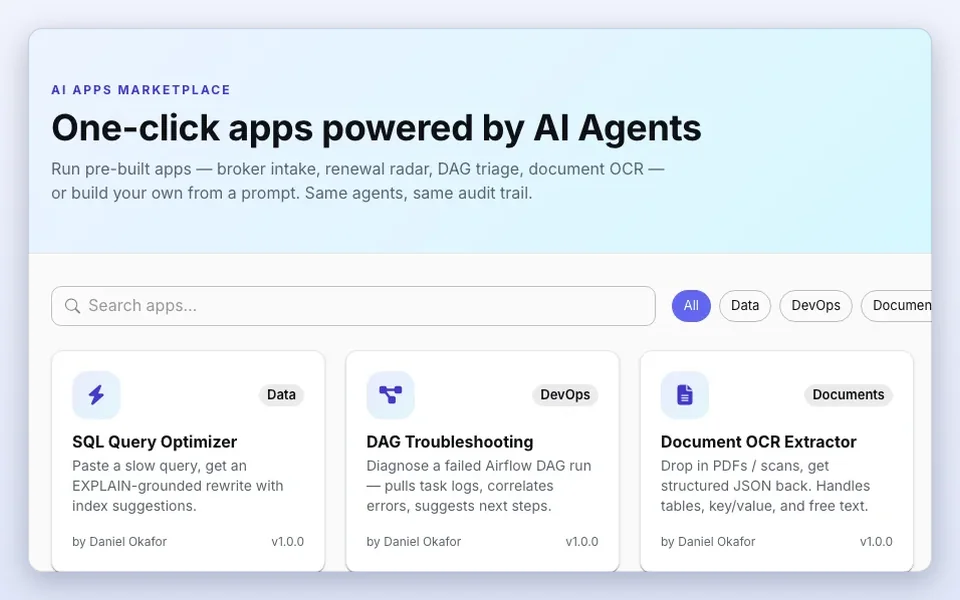
The business layer over InsightWorker: the people who know the problem describe an app in plain English, test it and publish it.

  • Prompt-to-app builder with a visual editor
  • A marketplace to discover, request access to and run apps
  • SSO, per-app approvers and an audit log of every grant and run
Enterprise knowledge base

InsightAsk

One governed knowledge base across email, SharePoint, tickets, wikis, code and databases, hosted in your own infrastructure.

  • Respects source permissions on every result and answer
  • Answers cite the documents they came from
  • Real-time sync, so answers track the source
AI-first data security

InsightAIShield

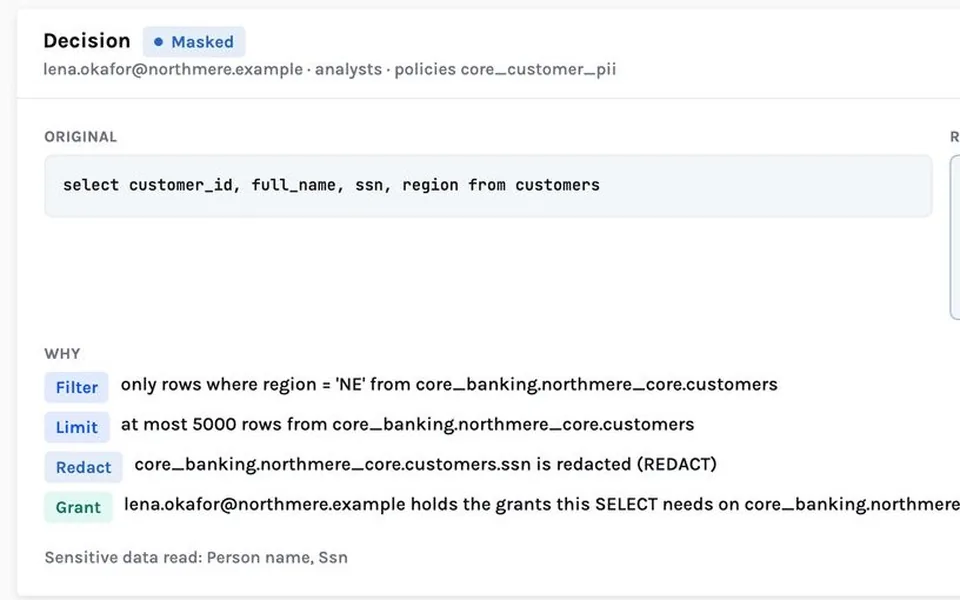
Finds sensitive data and decides every query and every AI prompt with a fail-closed policy engine.

  • Rewrites SQL to mask, filter or tokenize through inline database proxies
  • Format-preserving tokens, anomaly detection and access reviews
  • SIEM export; agents prepare, people decide
Proof and reading

AI work and field guides

Case studies from our AI engagements, and the guides the GenAI POD works from.

Field guides and worked examples

FAQ

Questions about the GenAI POD

Which models does the POD use?

Yours. The harness is bring-your-own-model, so the POD works with the providers your organisation has already approved — for example AWS Bedrock, Azure OpenAI or Vertex AI — or a self-hosted model, in your cloud account.

Where does our data go?

Nowhere outside your environment. The POD works in your cloud accounts, behind your IAM and SSO, and our products are deployed inside your boundary.

How do we know it is good enough to ship?

The evaluation harness is built before the system, against the metric agreed in discovery. It runs on every change and is handed over wired into your CI, with documented thresholds.

Do we have to adopt your products?

No. They are accelerators, used where they shorten the path to your outcome. All custom code is yours; InsightLake products ship under their own licences, optionally deployed in your environment.

What do we need before starting?

An outcome you can name and a production environment to deploy into. If the scope is still “explore AI for a team”, start with the one-week discovery; it ends with a fixed proposal.

What happens after week 12?

Your team runs the system with the runbooks and evaluation suite. An optional run-the-system tier provides on-call, objectives and continuous improvement against your outcome metric.

Start here

Scope a GenAI POD

Tell us the job you want AI to do, who will use it and what has stopped it so far. We will come back with how we would approach it.

  1. We reply within one business day

    A principal reads your note and comes back with questions, not a brochure.

  2. A 30-minute scoping call

    The outcome, the systems involved, the constraints, and who on your side will own the result.

  3. A one-week discovery

    It ends with an outcome statement, a scope and a fixed proposal naming the POD team.

Prefer email? contact@verticalserve.com. VerticalServe works from Millburn, New Jersey and Pune, India.

Tell us about the outcome

Goes to the same team as the contact page.